AI image generators have transformed digital creativity, allowing anyone to create cinematic portraits in seconds. However, achieving a realistic result requires more than a simple description. A well-crafted prompt ensures the final image matches your vision while maintaining the person’s original identity.
Why Prompt Quality Matters
A detailed prompt provides clear instructions to the AI about clothing, lighting, composition, and facial preservation. Generic prompts often result in altered facial features, unrealistic makeup, or inconsistent expressions.
By adding specific instructions, you can create portraits that look professional while keeping the subject instantly recognizable.
The Perfect Aesthetic Style
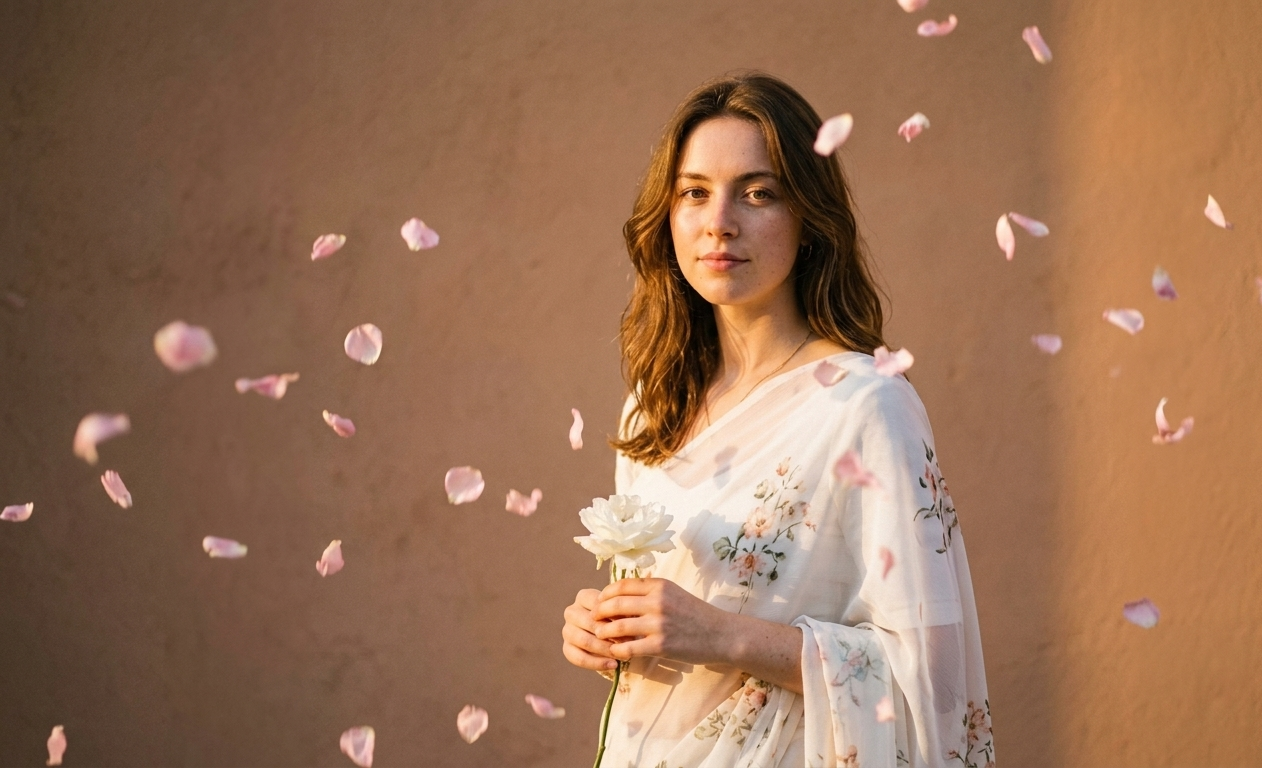
For a timeless editorial look, choose a flowing white flower chiffon saree paired with warm golden-hour lighting. This combination creates a soft, romantic atmosphere that is popular across Pinterest, Instagram, and fashion photography.
To enhance the artistic feel, include:
- A clean solid background
- A single white flower in the subject’s hand
- Soft rose petals falling around the subject
- Warm golden sunset lighting
- Cinematic depth of field
- Vintage-inspired color grading
These elements work together to create a dreamy and luxurious portrait.
How to Preserve the Original Face
One of the biggest challenges with AI image generation is maintaining facial consistency. Many AI tools automatically smooth the skin, change facial proportions, add makeup, or alter expressions.
To prevent this, your prompt should clearly instruct the AI to:
- Preserve the exact facial structure
- Keep the original skin tone
- Maintain the same hairstyle and hairline
- Keep the natural eyebrows, eyes, nose, and lips
- Avoid beauty filters and skin smoothing
- Do not modify the facial expression
- Maintain 100% facial identity
These instructions help produce an image that remains true to the original reference photo.
Lighting Makes the Difference
Lighting plays a major role in the final quality of an AI-generated portrait. Warm golden-hour lighting adds natural highlights and soft shadows, making the image appear elegant and cinematic.
This style works particularly well with white chiffon fabric because the material reflects sunlight beautifully, giving the portrait a premium editorial appearance.
AI Prompt
“Create a high-end, Pinterest-inspired, retro aesthetic portrait using the attached image as the reference. Dress the girl in a flowing white flower chiffon saree with elegant, timeless styling. She is standing against a clean, solid background, gently holding a single white flower in one hand while soft rose petals fall around her, creating a dreamy and mysterious atmosphere. The lighting should be warm golden-hour tones with a soft sunset glow, cinematic, ethereal, and artistic.
IMPORTANT: Use the attached image as the exact facial reference. Do not change, recreate, or beautify her face in any way. Preserve her exact facial structure, skin tone, facial proportions, eyes, nose, lips, eyebrows, hairstyle, hairline, expression, and natural features exactly as they appear in the original image.
Do not apply beauty filters, retouching, face enhancement, skin smoothing, makeup, age changes, or expression changes. Maintain her natural identity with 100% facial consistency. The overall mood should be elegant, vintage, soft, romantic, and cinematic, with subtle depth of field, realistic fabric textures, delicate falling petals, and a luxurious editorial fashion look. The final image should look like a premium fine-art portrait captured during golden hour while keeping the subject instantly recognizable as the same person from the uploaded image.”
Final Thoughts
A great AI portrait begins with a well-written prompt. Instead of allowing the AI to guess important details, provide precise instructions for clothing, lighting, composition, and most importantly facial preservation. Using the prompt above, you can generate elegant golden-hour portraits with a white chiffon saree while ensuring the subject’s natural identity remains completely unchanged. This approach results in realistic, visually appealing, and professional-quality images that stand out across social media and digital portfolios.